
How to Automate Vendor Invoices When Suppliers Send PDFs
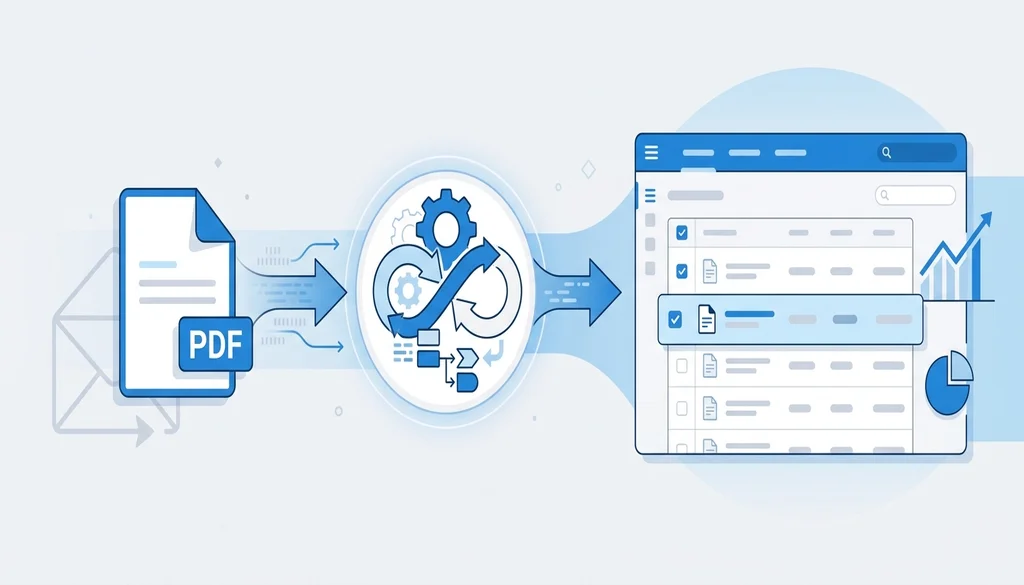
Most companies have EDI running smoothly for their major trading partners. The big-volume suppliers are connected, transactions flow automatically, and your team doesn't touch those documents.
But there's a long tail — smaller vendors, regional suppliers, newer partners — that don't have EDI capability. They do what every business knows how to do: they open their accounting software, generate an invoice, and email it as a PDF.
And someone on your team has to open it, read it, and type the numbers in.
Why the Long Tail Never Goes Away
Requiring all suppliers to implement EDI sounds like a clean solution, but it doesn't hold up in practice. EDI implementation requires time, technical resources, and ongoing maintenance — a reasonable ask for a high-volume trading partner, but not for a regional vendor who sends you twenty invoices a year.
The alternative most companies try is a supplier portal: give the vendor a login, ask them to enter their invoice data through a web form. It works, but it adds friction on the supplier's side. You're asking them to change how they work, learn a new interface, and maintain another login for a relationship that might represent a small portion of their business. Many won't. Many will submit the first few invoices through the portal and then quietly go back to emailing PDFs and asking you to just process it.
The PDF is the path of least resistance for your vendors. That's not going to change.
Retail & Supply Chain EDI, Simplified
Meet retailer compliance requirements effortlessly with automated EDI for purchase orders, invoices, ASNs, and more.
Request a Call
What Manual Re-Entry Actually Costs
The visible cost of manual invoice entry is staff time. Someone opens the PDF, finds the PO number, checks the line items, maps the amounts, and types it all into the ERP. For a single invoice that takes a few minutes. For fifty invoices a week, that's a real chunk of someone's job.
The less visible costs show up when something goes wrong. A transposed digit in a PO number creates a payment mismatch that takes three email threads to resolve. A line item entered against the wrong SKU creates a discrepancy that surfaces in month-end reconciliation. An invoice that sat in the queue too long triggers a late payment notice from a vendor who's now frustrated.
These aren't hypothetical edge cases — they're the predictable output of a manual process at any meaningful volume. The error isn't anyone's fault; it's a consequence of asking people to do what computers are better at.
The Bridge Approach: Automate on Your End
The more useful framing isn't "how do we get suppliers onto EDI" — it's "how do we automate the conversion so it doesn't matter what format they send."
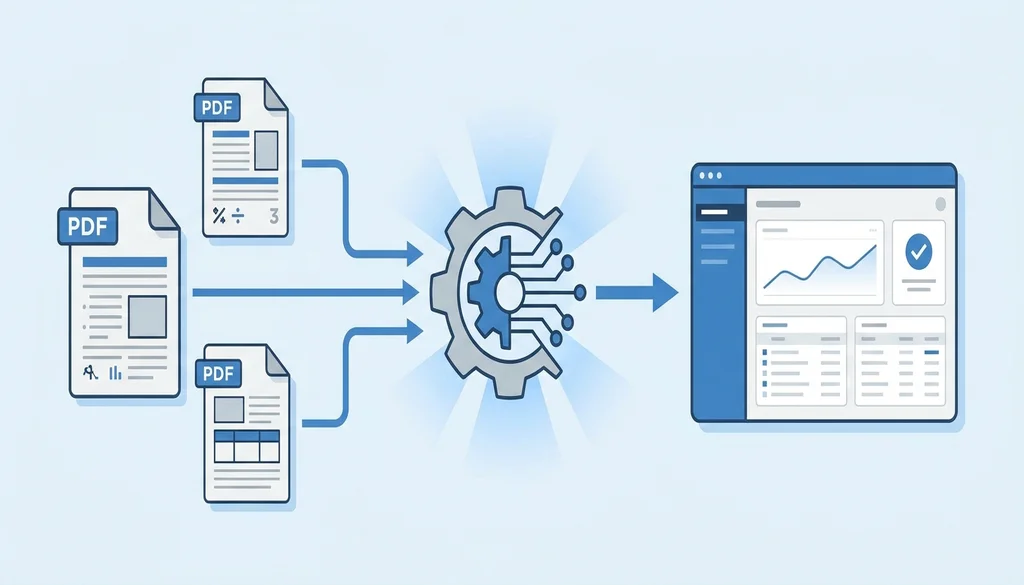
PDF import does exactly this. Suppliers keep emailing PDFs. On your end, instead of a person opening those emails, a system does:
- Receives the PDF — by email, watched folder, or direct upload
- Extracts the structured data: vendor ID, invoice number, PO reference, line items, amounts, dates
- Maps it to your ERP's data model
- Delivers it as a completed transaction — same format as if it came through EDI
The supplier doesn't know anything changed. They're still sending the same PDF they've always sent. The invoice just arrives in your system automatically instead of sitting in someone's inbox.
This is sometimes called a "bridge" approach, and it's how several EDI integration providers — including Comparatio — handle the non-EDI trading partner problem. Your larger partners stay on full EDI. Your long-tail suppliers stay on PDF. Your team processes everything through the same ERP workflow regardless.
When This Makes Sense to Implement
PDF invoice automation is worth evaluating if any of these are true:
- You have suppliers sending more than 10–15 invoices a month as PDFs and your team is manually entering them
- You've tried a supplier portal and vendors keep reverting to email anyway
- You're already running EDI and want to extend the same automation discipline to your non-EDI suppliers
- Invoice data entry errors are creating payment delays or vendor relationship friction
It's also a reasonable first step into EDI-style automation for companies that aren't yet running traditional EDI. The infrastructure is simpler, supplier disruption is zero, and the operational improvement is immediate.
What to Look For in a PDF Import Solution
Not all implementations are equal. A few things to verify before committing:
Supplier-specific mapping. Every vendor's invoice layout is different. A good PDF import tool maintains a mapping per supplier rather than requiring everyone to use the same template.
Scanned document support. Digital PDFs (generated by accounting software) are easier to extract from. Scanned documents require OCR. Make sure the tool handles both, since some of your vendors will inevitably be scanning paper.
ERP integration depth. Extraction is only half the problem. The extracted data needs to land correctly in your ERP — correct GL accounts, correct PO matching logic, correct handling of partial invoices. Confirm how the integration actually works, not just that it "connects."
Exception handling. When a field can't be extracted confidently, the invoice needs to route to a human for review — not silently fail or post incorrect data. Ask what the exception workflow looks like.
Comparatio's PDF import handles vendor invoices, inbound purchase orders, and other trading documents across a range of ERP and WMS platforms. If you're evaluating options, it's worth seeing how it handles your specific supplier formats.
The goal isn't to eliminate all supplier contact — it's to make sure your team isn't spending time on data entry that a system can handle more accurately and at any volume.
Frequently Asked Questions
Do my suppliers need to change anything for PDF invoice automation to work?
No. That's the point. Suppliers keep sending PDFs exactly as they do today — by email, as attachments. The automation happens on your end: the PDF is extracted, mapped to the correct fields, and delivered to your ERP or WMS as a structured transaction. No supplier onboarding, no portal login, no EDI mandate required.
Can the system handle different PDF layouts from different suppliers?
Yes. Each supplier tends to use their own invoice format — different field positions, different terminology, different levels of detail. PDF import maps each supplier's layout to your ERP's data model, so you don't need a uniform template. Most PDF import tools, including Comparatio's, handle both digital PDFs (generated by software) and scanned documents.
Does PDF invoice automation work if we already have EDI running?
Yes — and it fills a real gap. EDI handles your larger, tech-capable trading partners efficiently. PDF import handles the long tail: smaller suppliers, regional vendors, or newer partners who haven't implemented EDI. The two run in parallel. Your team processes everything through the same ERP workflow regardless of where the original document came from.
What types of documents can be converted from PDF?
Vendor invoices are the most common use case, but PDF import can also handle inbound purchase orders (if your customers send POs as PDFs), advance ship notices, and credit memos. The core capability is the same: structured data extracted from an unstructured PDF and delivered to your system in the format it expects.
Table of Contents
Subscribe to the Blog
Get the latest EDI insights delivered to your inbox.
Related Articles

September 16, 2026
Silent EDI Failures Nobody Sees Until It's Too Late
Silent EDI failures don't trigger alerts — they stop without a signal. Learn how to detect missing transactions before they cost you chargebacks.
Read More →
February 17, 2026
Essential Guide to EDI Integration for Distributors
Learn how distributors can overcome EDI challenges and choose the right software in this comprehensive guide.
Read More →
November 13, 2024
Guide to Epicor EDI Integration for Prophet 21
Discover how Epicor EDI integration with Prophet 21 streamlines distribution, boosts efficiency, and automates key business processes.
Read More →
Transform Your Supply Chain Today!
Ready to revolutionize your supply chain management? Our advanced software solutions are designed to streamline your operations, enhance efficiency, and boost your bottom line. Don't miss out on the opportunity to elevate your business.
Request a call