
See where EDI breaks, and where it pays
Every distributor’s EDI problems look a little different. A hospital orders through a network, a manufacturer waits for its tracing report, a retailer counts the hours to your ship notice. Each view below shows one of those flows with example data, and what Comparatio checks along the way.
- Healthcare, MRO, electrical, retail and building products
- Hover, click and filter
- Desktop and phone
Pick a view
One visualization per industry problem
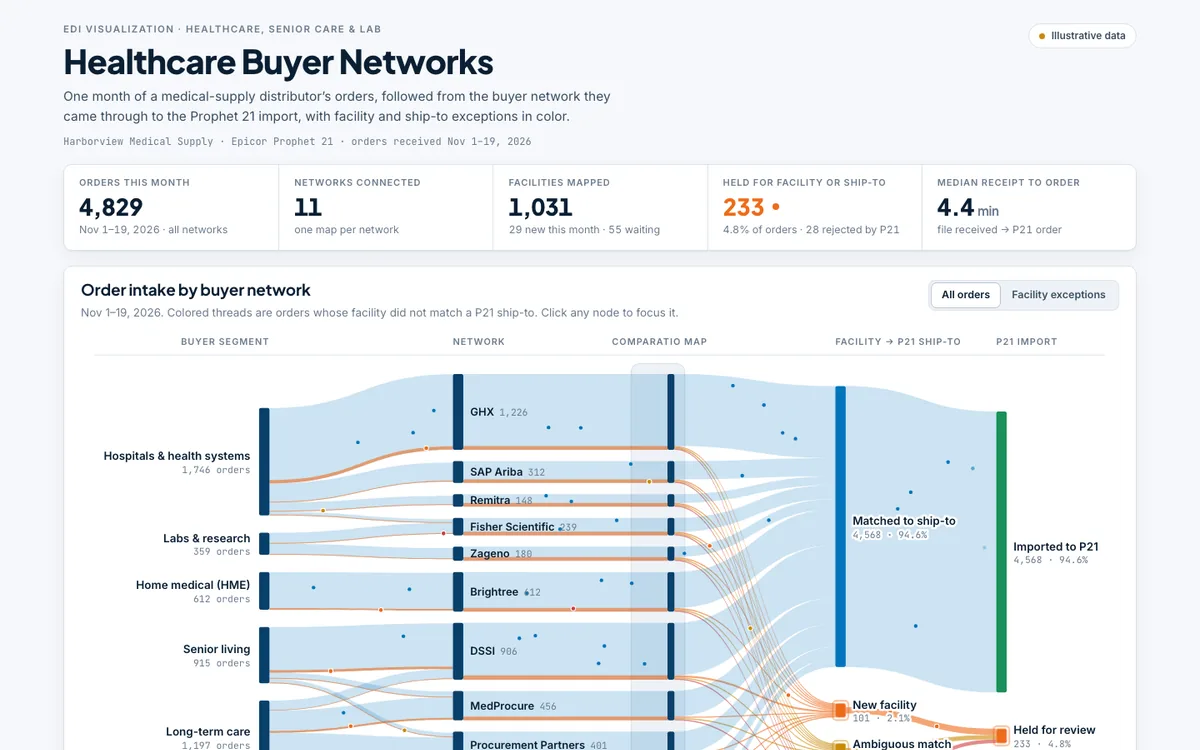
Healthcare Buyer Networks
Healthcare orders from GHX, DSSI, Brightree, MedProcure and other buyer networks, traced to the Prophet 21 import with facility and ship-to exceptions highlighted.
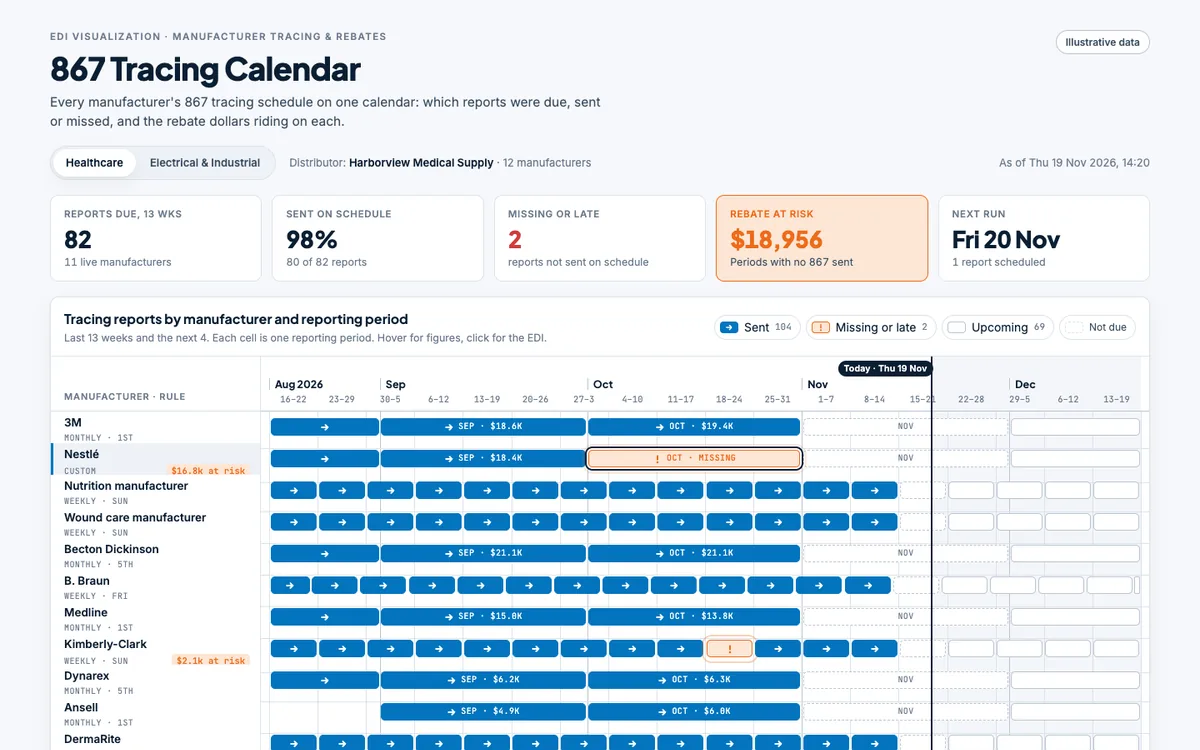
867 Tracing Calendar
A calendar of every manufacturer's 867 tracing report by reporting period: due, sent or missed, and the rebate dollars riding on each.
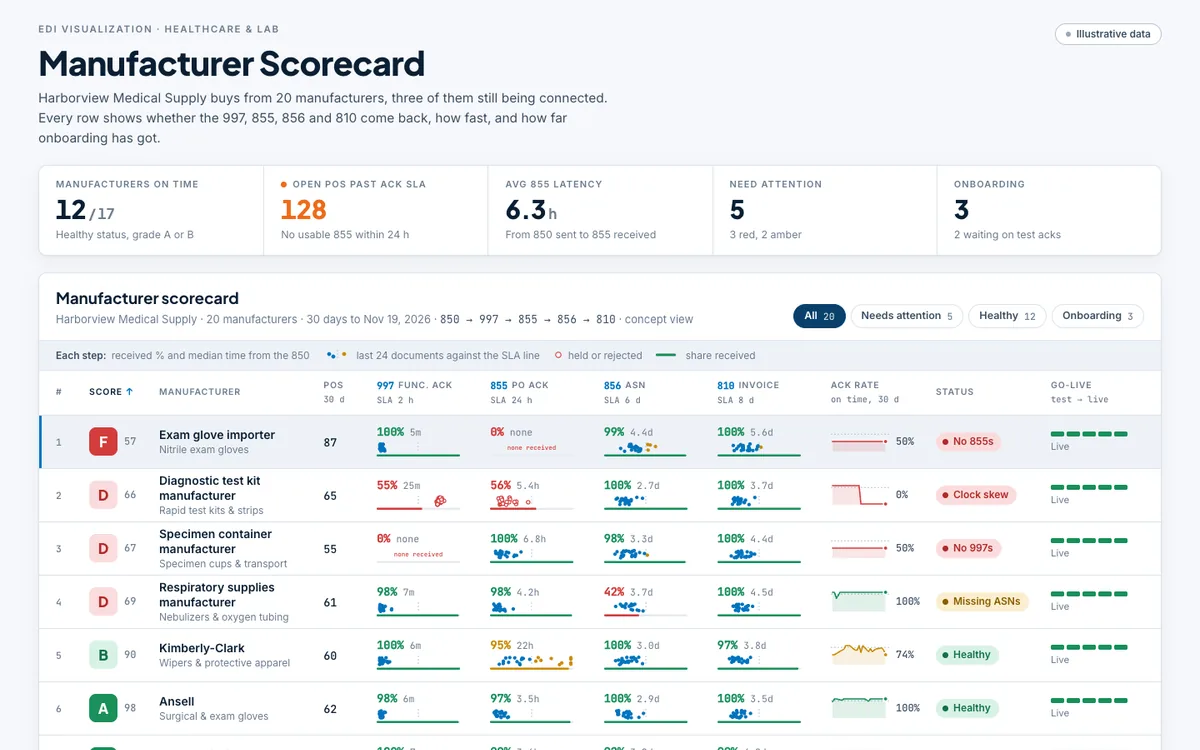
Manufacturer Scorecard
A ranked scorecard of 20 medical manufacturers covering 997, 855, 856 and 810 return rates, latency, UOM differences and go-live progress for those still being connected.
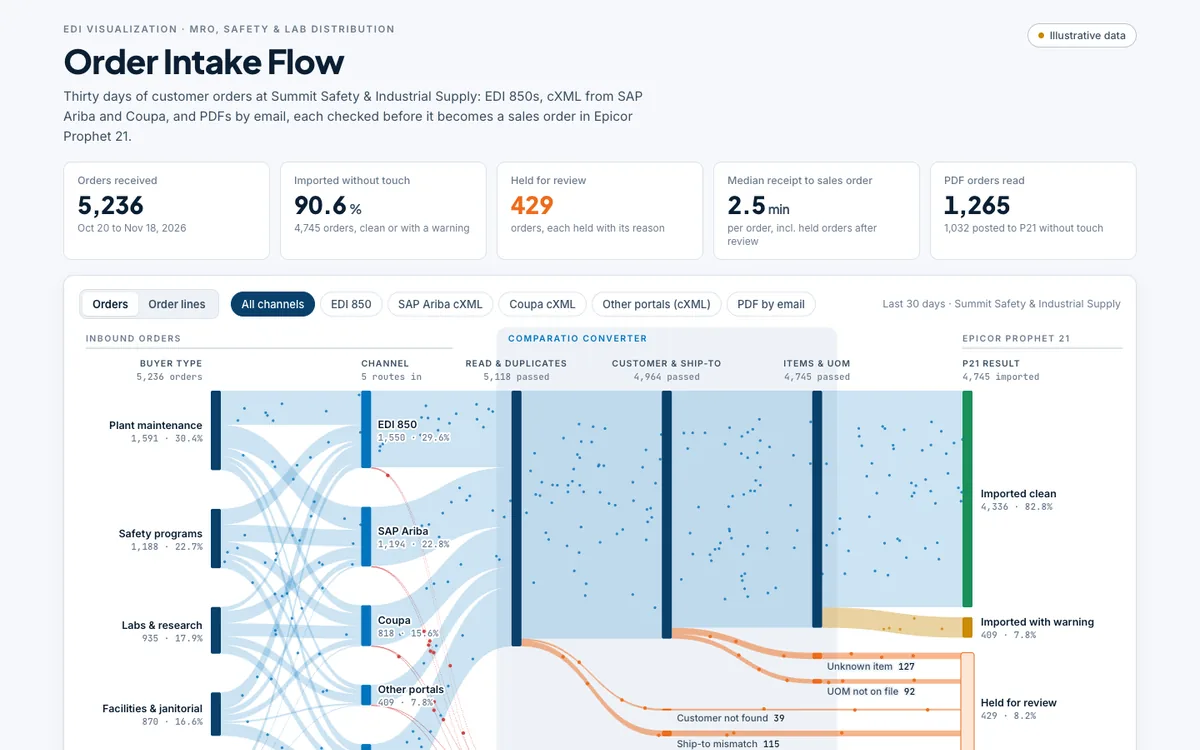
Order Intake Flow
Animated Sankey of 30 days of MRO, safety and lab orders arriving by EDI 850, SAP Ariba and Coupa cXML and emailed PDFs, checked by Comparatio and landing in Prophet 21 clean, flagged, held or rejected.
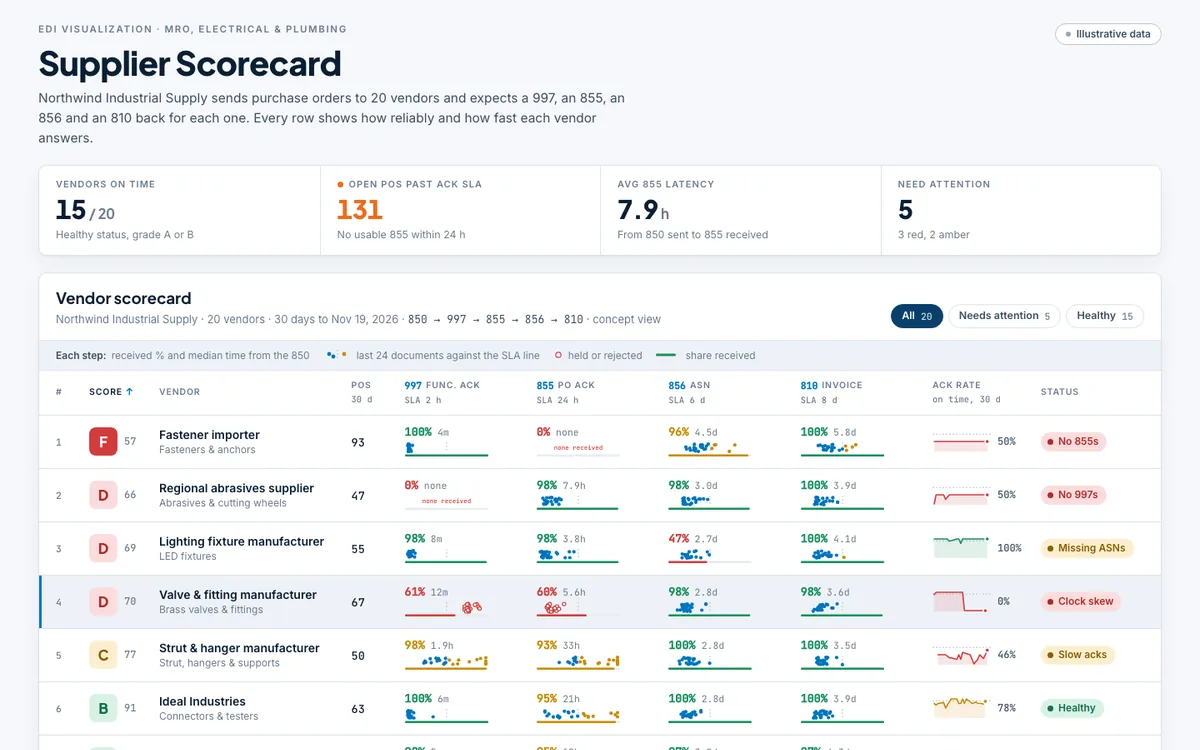
Supplier Scorecard
A ranked scorecard of 20 vendors showing whether each one returns the 997, 855, 856 and 810 for a distributor's POs, and how fast.
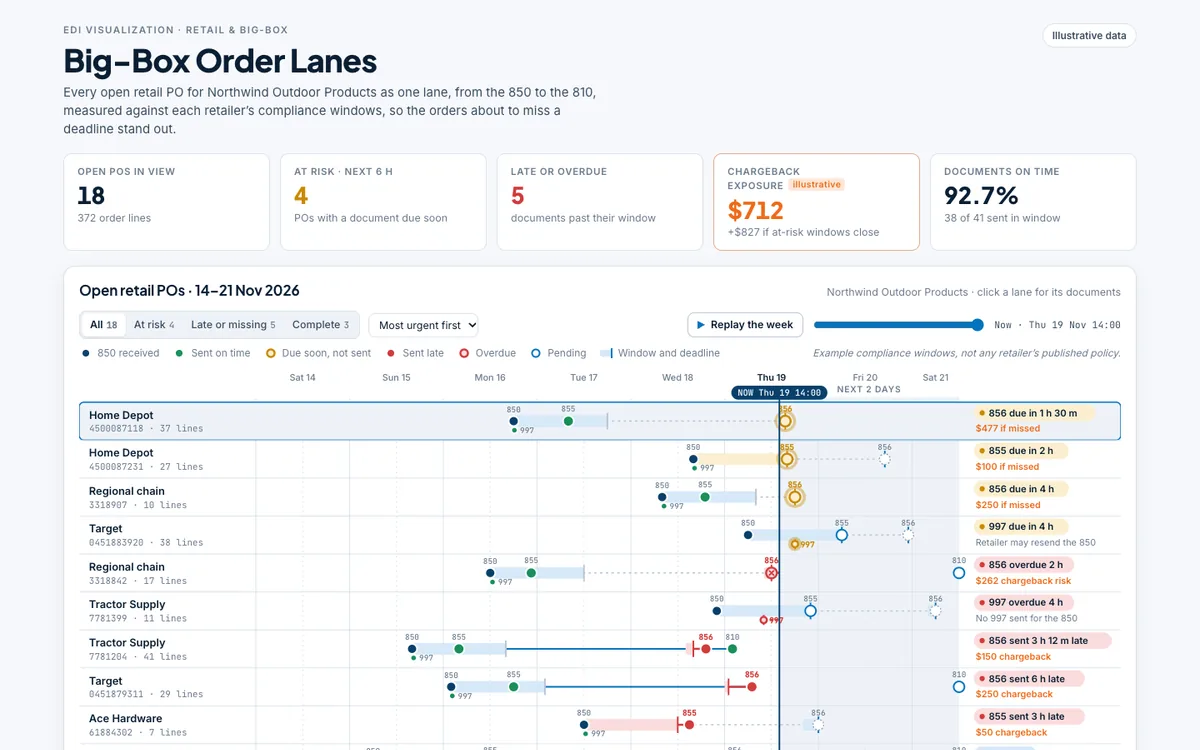
Big-Box Order Lanes
Every open retail PO as a lane from 850 to 810, measured against each retailer's example compliance windows, so the orders about to miss a deadline and draw a chargeback stand out.
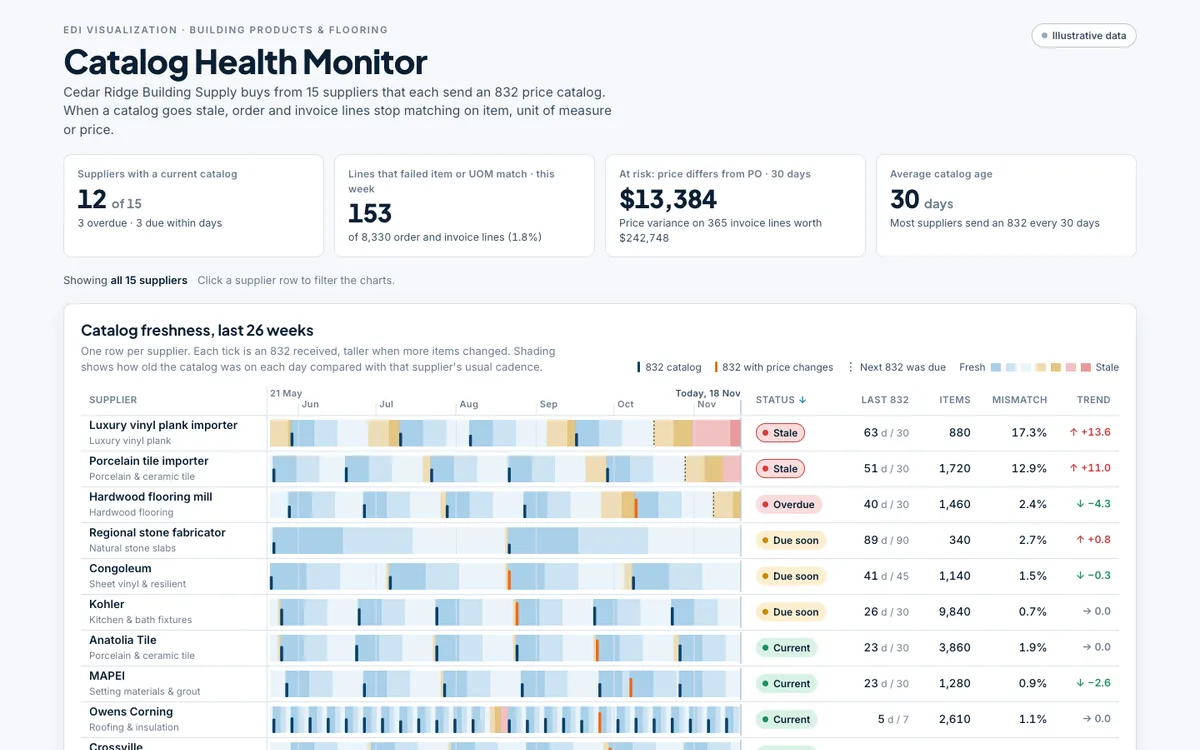
Catalog Health Monitor
How fresh each supplier's 832 catalog is over 26 weeks, and how stale catalogs and missing UOM conversions turn into order and invoice lines that don't match.
What they have in common
The same hub behind every view
One map per trading partner
Retailers, manufacturers, buying networks and procurement portals each get their own map with their own rules.
Checked before your ERP
Ship-tos, items and units are translated and checked before a document posts to Prophet 21, NetSuite or CloudSuite Distribution.
Problems flagged first
Duplicate orders, ship-to mismatches and unknown items are flagged before import, so they are fixed before they cost you.
Acknowledgments matched
Acknowledgments that come back are matched to the documents you sent, and rejections are explained in plain English.
Alerts for what never arrives
Daily checks flag documents a partner never acknowledged, POs a supplier never confirmed or shipped, and invoices without a matching ship notice.
EDI, cXML and PDF
Classic EDI, punchout orders and emailed PDFs run through one pipeline into the same ERP.
Which of these looks like your week?
Tell us where your EDI hurts today, and we’ll show you how Comparatio would handle it.